Character AI Password Reset: Quick Answer
If you’re looking for a Character AI password reset, there’s an important change to know: Character AI no longer uses traditional passwords.
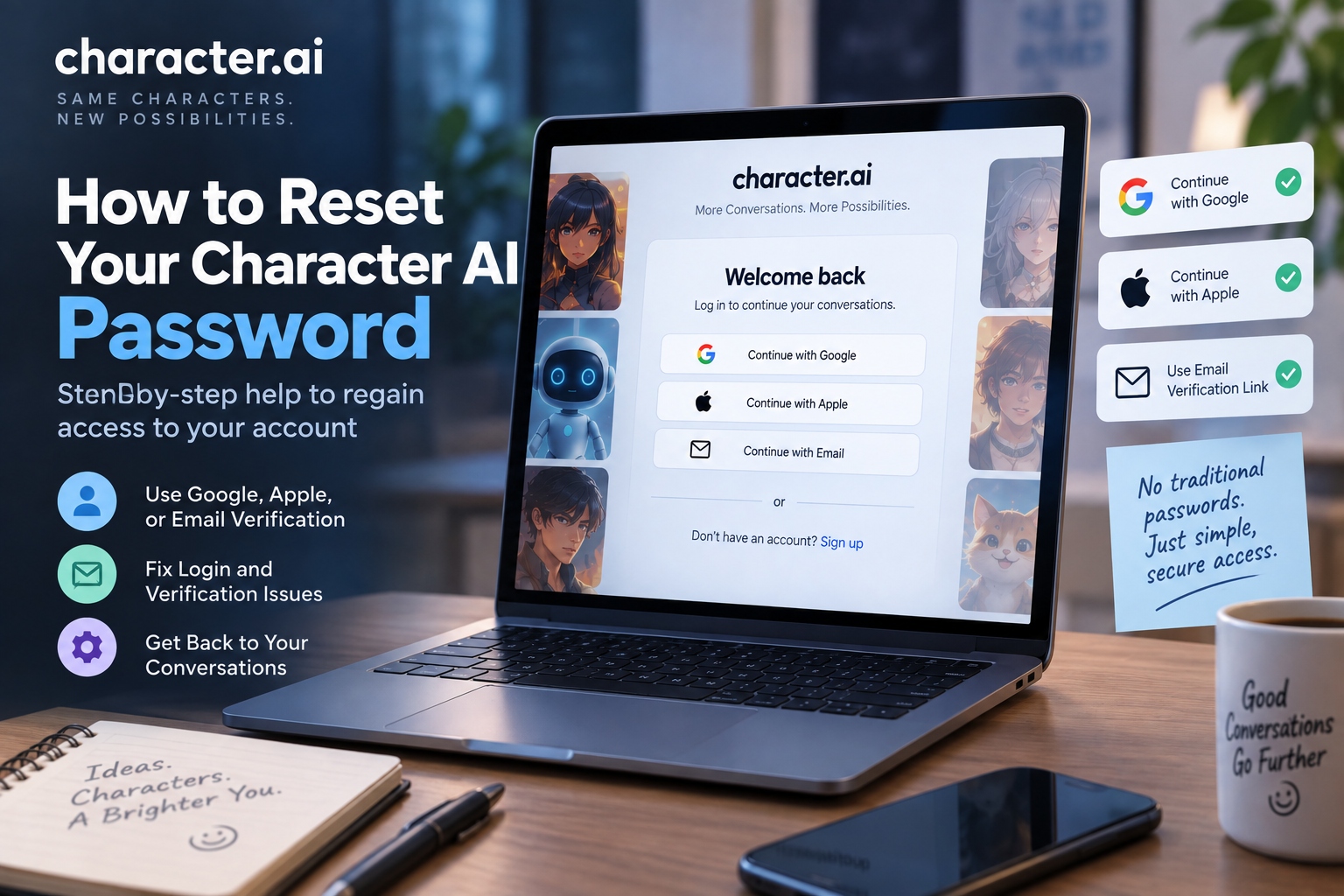
Character AI discontinued its old email-and-password login system on July 30, 2024. It now uses a passwordless login system based on Continue with Google, Continue with Apple, or an email verification link. Because there is no password, there is also no traditional password-reset feature.
If you can’t access your account, use the login method associated with your Character AI account. If you’re using email verification and don’t receive the login email, check your email address, spam or junk folder, blocked addresses, and inbox storage.
Table of Contents
Does Character AI Have a Password Reset Option?
No. Character AI’s current account system is passwordless.
According to the official Character AI Help Center, the service no longer supports traditional email-and-password login. Legacy login methods using email and password, Discord, and Facebook were discontinued on July 30, 2024.
Instead, Character AI currently provides these sign-in options:
- Continue with Google
- Continue with Apple
- Email Verification Link
The email option works by sending a secure verification link to your inbox rather than asking you to create or enter a Character AI password.
That means if you’ve forgotten what you think was your Character AI password, you don’t need to reset it. You need to use the appropriate passwordless sign-in method.
How to Access Your Character AI Account Without a Password
If you can’t access your account, start from the Character AI login screen.
Step 1: Open Character AI
Open the official Character AI website or the official mobile app.
Select the option to Log In or Sign In.
Step 2: Choose Your Login Method
Character AI’s current passwordless system provides three main options:
- Continue with Google
- Continue with Apple
- Email Verification Link
Choose the method associated with your account.
Step 3: Complete Authentication
If you choose Google or Apple, follow the authentication process provided by the relevant service.
If you choose email verification, check your inbox for the verification link from Character AI.
Step 4: Return to Your Account
Follow the verification instructions and allow Character AI to complete the sign-in process.
Once you’re logged in, check your profile and conversations to make sure you’ve accessed the correct account.
How to Log In to Character AI With an Email Verification Link
If you don’t want to use Google or Apple, Character AI provides an email-based passwordless login option.
The process is straightforward.
- Open Character AI.
- Select Log In.
- Choose the email verification option.
- Enter the email address associated with your account.
- Check your email inbox.
- Open the verification message.
- Follow the secure login link.
- Return to Character AI and confirm that your account has loaded.
Character AI describes this as an email verification link, sometimes called a passwordless “magic link.”
Character AI Login Email Not Arriving?
If you’re waiting for the Character AI verification email and nothing arrives, don’t assume your account is gone.
Character AI’s official troubleshooting guidance recommends checking several things.
1. Check Your Email Address
Make sure you entered the correct email address.
A small spelling mistake can send the verification message somewhere else or prevent it from being delivered.
The email address should also match the address associated with your Character AI account.
2. Check Your Spam or Junk Folder
Look through your spam, junk, promotions, or other filtered folders.
If you find the Character AI message there, mark it as Not Spam so future messages are less likely to be filtered.
Character AI specifically recommends checking spam or junk folders when verification emails aren’t appearing.
3. Check Your Blocked Addresses
Your email provider may be blocking messages from the service.
Check your blocked-address or email-filter settings and make sure the relevant Character AI email isn’t being prevented from reaching your inbox.
Character AI recommends adding its email to your contacts and checking that its messages aren’t blocked.
4. Check Whether Your Inbox Is Full
A full inbox can prevent new messages from arriving.
Delete unnecessary messages if your mailbox is near its storage limit, then request another verification email.
5. Check Your Email Provider
Character AI’s troubleshooting guidance also recommends using a supported email address. If you’re using an unsupported email domain, try another email provider.
What If You Forgot Your Character AI Password?
If you’re searching for “I forgot my Character AI password,” the answer is different from what you may expect.
There is no current Character AI password to reset because the platform moved away from traditional password-based authentication.
Instead, choose the login method associated with your account.
If you used Google
Select Continue with Google and authenticate with the Google account connected to Character AI.
If you used Apple
Select Continue with Apple and authenticate using the Apple account associated with your Character AI account.
If you used email
Use the Email Verification Link option and check the inbox for the account’s associated email address.
Why Can’t I Log In to Character AI After Resetting My Password?
If you’ve searched for a Character AI password reset and tried changing credentials elsewhere, remember that Character AI doesn’t currently use a traditional password system.
The issue may instead be related to the account or authentication method you’re using.
Try the following:
- Return to the Character AI login screen.
- Use the Google option if your account is connected to Google.
- Use the Apple option if your account is connected to Apple.
- Use the email verification option if your account uses email access.
- Check your inbox and spam folders for the verification message.
- Make sure you’re using the email address associated with the account.
Why Is My Character AI Account Empty After I Log In?
If you successfully sign in but your conversations or other account information appear to be missing, you may have accessed a different account.
This can happen when you use a different authentication method from the one associated with your original account.
For example, you might normally access an account through one sign-in method but accidentally choose another.
What should you do?
Sign out and try the authentication method you originally used.
Don’t immediately create a new account if you’re trying to recover an existing one.
If you still can’t access the correct account, contact Character AI through its official support system.
Can I Change My Character AI Email Address?
Character AI’s current Help Center says that users cannot currently change, update, or remove the email address associated with their account.
If you still have access to your original email address, Character AI recommends continuing to use it for email verification or using Google or Apple if those accounts are linked to the same email.
If you’ve lost access to the original email address and need a new one, Character AI says you’ll need to create a new account. It also states that data, characters, and chat histories cannot be transferred between accounts.
What If I Lost Access to My Email?
Losing access to the email associated with your Character AI account can make account recovery more difficult.
Because Character AI uses passwordless authentication, the email verification method depends on access to the relevant email account.
If you still have access to the Google or Apple account associated with your Character AI account, try the corresponding sign-in option.
If you have lost access to the original email and cannot use another linked sign-in method, contact Character AI support for guidance. Character AI’s Help Center provides a support ticket system for users who can’t resolve account-access problems through its guides.
Character AI Password Reset on Mobile
If you’re using the Character AI mobile app, you don’t need to look for a traditional password-reset screen.
Instead:
- Open the official Character AI app.
- Select the login option.
- Choose Google, Apple, or email verification.
- Complete the authentication process.
- Check that you’ve accessed the correct account.
Character AI maintains separate mobile-app support resources for iPhone, iPad, and Android.
If the app isn’t working correctly, make sure you’re using the current version and try the web version as an additional troubleshooting step.
Character AI Password Reset on PC
On a computer, open the Character AI website and select the login option.
You don’t need to enter a traditional Character AI password.
Instead, use one of the currently supported authentication methods:
- Apple
- Email verification link
If email verification isn’t arriving, check your spam folder, email address, blocked senders, and inbox storage.
Does Character AI Still Use Passwords?
No. Character AI’s official Help Center states that it no longer uses passwords.
The old email-and-password login method was discontinued on July 30, 2024. Discord and Facebook login were also discontinued as part of the change.
Character AI says the move to passwordless authentication was intended to provide a more streamlined login experience and improve security.
This is why older articles or guides that tell you to find a “Reset Password” button may no longer match the current Character AI login system.
When Should You Contact Character AI Support?
If you’ve tried the available login methods and still can’t access your account, you can submit a support request through the official Character AI Help Center.
Before contacting support, gather useful information such as:
- The email address associated with the account
- The login method you’re trying to use
- Whether you can receive verification emails
- Your device
- Whether you’re using the website or mobile app
- Any error message you’re seeing
- The troubleshooting steps you’ve already tried
Never send your password or other sensitive authentication information to someone claiming to provide account support.
Character AI Password Reset FAQs
How do I reset my Character AI password?
You can’t reset a traditional Character AI password because Character AI no longer uses passwords. Instead, sign in with Google, Apple, or an email verification link.
Does Character AI have a password reset?
No. Character AI removed its traditional password-based login system. Account access is now handled through passwordless authentication.
I forgot my Character AI password. What should I do?
There is no current password to reset. Return to the Character AI login screen and use Google, Apple, or the email verification link associated with your account.
Why am I not receiving my Character AI verification email?
Check that you entered the correct email address, then look in your spam or junk folder. Also check blocked addresses, your contact list, inbox storage, and whether you’re using a supported email address.
Can I change my Character AI email address?
Character AI currently says that users cannot change, update, or remove the email address associated with an account. If you lose access to the original email, account options are limited.
Can I recover my Character AI account without my email?
If your account is linked to Google or Apple, try the corresponding authentication method. If you cannot access the relevant email or another linked sign-in method, contact Character AI support.
Why is my Character AI account empty after I log in?
You may have signed into a different account or used a different authentication method. Sign out and try the login method associated with your original account.
Can I reset my Character AI password on my phone?
There is no traditional password reset on mobile because Character AI no longer uses passwords. Use Google, Apple, or email verification to access your account.
Can I reset my Character AI password on PC?
No traditional password reset is available. On PC, use the supported Google, Apple, or email verification login options instead.
Character AI Account Recovery Checklist
If you’re having trouble accessing your account, work through this checklist:
- Confirm the email address associated with your account.
- Use the correct Character AI authentication method.
- Try Continue with Google if your account uses Google.
- Try Continue with Apple if your account uses Apple.
- Use the email verification option if you normally sign in by email.
- Check your spam or junk folder.
- Check your email provider’s blocked-address settings.
- Make sure your inbox isn’t full.
- Confirm that you’re using a supported email address.
- Try the Character AI website if the app isn’t working.
- Try the mobile app if the website isn’t working.
- Make sure you’re accessing the correct account.
- Contact official Character AI support if you still can’t regain access.
Final Thoughts
If you searched for how to reset your Character AI password, the most important thing to know is that Character AI no longer uses traditional passwords.
The platform moved to passwordless authentication, with current sign-in options including Google, Apple, and email verification links.
So instead of looking for a password-reset button, start by identifying the authentication method connected to your account.
If you’re using email verification and the message isn’t arriving, check your email address, spam folder, blocked senders, and inbox storage. If you’ve lost access to the email associated with your account, or none of the available sign-in methods work, Character AI’s official support system is the appropriate next step.
The key takeaway is simple: there’s no Character AI password to reset anymore. You need to recover access through the account’s current passwordless login method.
Character AI Login & Account Guides
- Character AI Login: How to Sign In to Your Account
- Character AI Sign Up: How to Create a New Account
- Character AI Login Problems: How to Fix Sign-In Issues
- How to Reset Your Character AI Password
- How to Change Your Character AI Email Address
- How to Change Your Character AI Username
- How to Delete Your Character AI Account
- How to Recover a Character AI Account
- Can You Use Character AI Without an Account?
- Character AI Account Settings: Complete Guide
- How to Log Out of Character AI on Every Device
- Character AI Login on Mobile, Desktop, and Web